Cricut Rhinestone Projects
Generate SVG Rhinestone Templates for Cricut Design Space
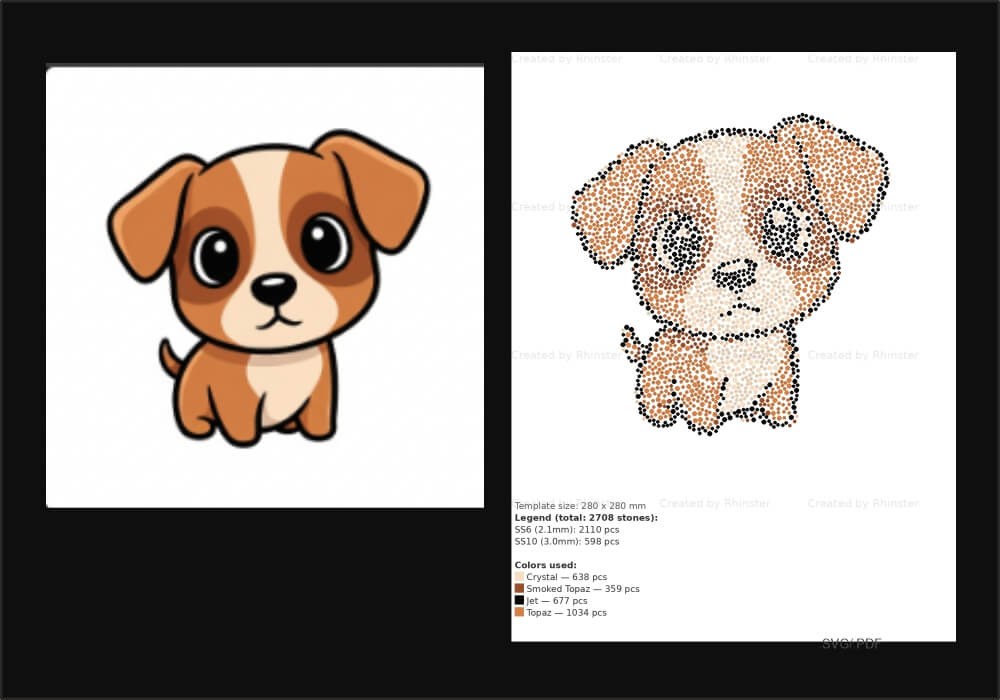
Cricut machines are widely used for rhinestone template production. PictoRhinestone generates SVG files fully compatible with Cricut Design Space — upload any image and get a ready-to-cut rhinestone template in seconds.
Why Use PictoRhinestone for Cricut Projects
Manually placing rhinestones in Cricut Design Space is time-consuming and imprecise. PictoRhinestone automates the entire process — converting any image into a rhinestone pattern with accurate stone placement, then exporting an SVG file ready to import directly into Cricut Design Space.
Workflow for Cricut Rhinestone Templates
- Upload your image to PictoRhinestone (JPG, PNG, SVG supported)
- Set your stone sizes — SS6 and SS10 are most common for Cricut projects
- Choose your colors and production dimensions
- Generate a free preview to check the design
- Download the SVG and open it directly in Cricut Design Space
- Use the rhinestone template feature in Design Space to cut your material
Compatible File Format
PictoRhinestone's SVG export uses standard vector circles representing each stone, which Cricut Design Space reads natively. This makes it easy to scale, mirror or combine the design with other elements in your Cricut project.
Get Started — Free Preview
Upload your image and see your Cricut rhinestone pattern instantly.
✦ Try PictoRhinestone Free